First Look at LivCam
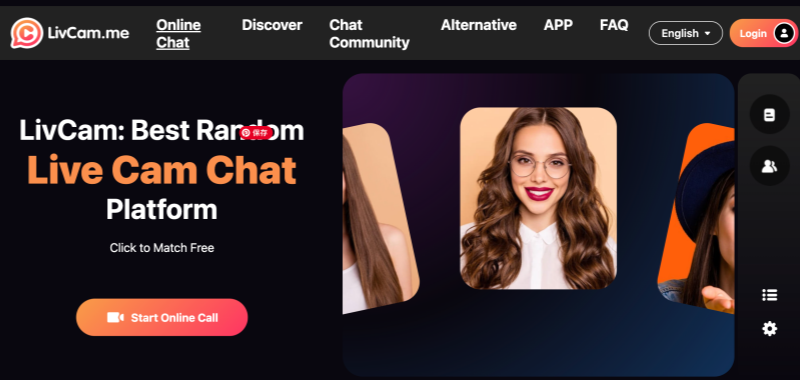
You download LivCam from the usual places on App Store or Google Play. The icon is plain, nothing fancy. Open it up and there’s basically one button. Grant camera access and you’re in. No sign-up screen asking for your email. And no create a username step. No profile picture uploaded. Just a button.
You can use the whole thing without ever registering. Guest mode works fine. If you do sign up later—phone number, Google, or Apple ID—your chat history saves to the cloud. That way, if you meet someone interesting, you can find them again. But nothing forces you to register.
Dive into LivCam
Video Quality
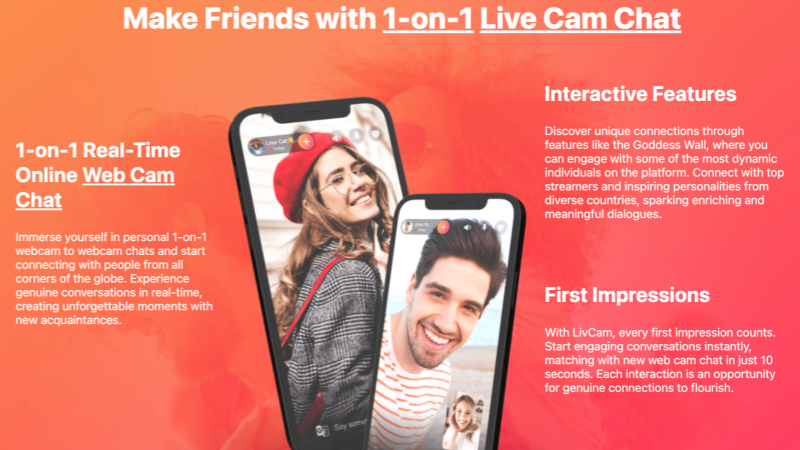
Video quality depends on where you are. If you are at Home on WiFi? Livcam video chat looks sharp. 1080p, 30 frames per second, faces clear. Step outside onto mobile data and it adjusts. Drops to 480p if the signal gets shaky. The call keeps going, just gets softer.
The app has a beauty filter. Five levels. Level 3 is the one most people seem to use. Softens things without making you look like you’re made of plastic. Doesn’t seem to heat up phones much either.
Real-time Translation
The translation covers 28 languages. Fast enough that you don’t wait around for words to appear. About a one-second delay. For common languages like Spanish, French, Mandarin, it’s accurate maybe 90-95% of the time. For rarer ones, expect some weird translations. But weird translations are better than no translations.
Matching System
You can add interest tags to your profile. Travel, Music, Yoga, K-Pop, Gaming, maybe twenty total choices. The algorithm then tries to match you with people who picked the same tags. The user base is all over. Southeast Asia, Europe, both Americas. Peak hours for women online seem to be 8 PM to 11 PM India time. Outside those hours, the gender balance gets skewed.
You’ll still get duds. People who disconnect immediately or stare blankly. People who clearly just want to show you something inappropriate. That’s random chat for you. Nothing special about LivCam there.
Group Rooms
LivCam is testing group video right now. Up to four people in one room. Hosts can charge entry fees and kick people out if they cause trouble. It’s beta, meaning it glitches sometimes. Lag happens. Interface feels rougher than the main 1v1 mode. But it shows where they’re heading. Beyond simple pairing into small groups.
How about Gifts?
LivCam has virtual gifts you can buy with diamonds. Roses are cheap. Castles cost real money. Streamers get 60% of whatever gifts they receive. There are monthly contests called Starlight Competitions. Top streamers win iPhones or MacBooks or extra diamonds. If someone’s serious about 1v1 chat livcam as a side income, those contests matter. Most users never send gifts. They just chat, disconnect, move on. The gifts are there if you want them, but the app doesn’t shove them in your face constantly like some others do.
Safety and Security
Video chatting with strangers means thinking about privacy. LivCam has systems in place.
-
They combine AI scanning with human moderators. The AI catches obvious bad stuff within seconds. Humans handle the gray areas. Break rules once, you get a warning and lose some features. Break them twice, suspended for 30 days. Break them bad the third time, permanent ban tied to your device. That last one matters because making a new account won’t work.
-
Your location only shows as country. Not city, not street. They hide the precise coordinates.
-
The app also scans QR codes and links for phishing attempts. If someone sends you a suspicious link in chat, a warning pops up. AI watches for common scams too—the “send me money to verify something” scripts, fake prize claims, investment pitches.
🔍None of this means you’re totally safe. You still shouldn’t give strangers your address or real name or bank details. You still use the block and report buttons when someone creeps you out. But the platform gives you tools.
Other Sites Like Livcam
If you look for a LivCam alternative, a few names come up constantly. CrushRoulette gives streamers 70% but video tops out at 720p. Pink Chat pushes community and interest groups. Flirtbees has filters and masks. Whereby is strict about content, marketed as family-friendly.
LivCam sits somewhere in the middle. Not the best at any one thing, but does most things okay. Video holds up. Translation is better than average. Monetization terms are fair. For people who just want to open an app and talk to someone, that middle ground works.
Real Users on LivCam
Different people get different things from LivCam. Language learners use the translation to practice with natives. Casual users open it when bored, chat for a minute, close it. People trying to earn money treat it like a job—consistent hours, engaging personalities, chasing contest prizes. People looking for long-term relationships or deep community probably get frustrated. LivCam is built for short bursts. Sixty seconds default. Extend if you both want to, but the design assumes you’ll move on quickly.
Useful Tips
If you’re curious about trying LivCam, here are several tips:
-
Start in guest mode. See if you even like it before registering.
-
Good Wi-Fi helps. Mobile data works but prepare for quality drops.
-
Add tags that actually fit you. Matches with shared interests go smoother.
-
Use the report button when something feels wrong. Moderation usually responds within an hour.
-
You don’t need to buy diamonds. If you do buy, set a limit and stick to it.
-
For earning, consistency matters more than anything. Show up at the same time each day, talk to people, be present.
FAQs
1. Do I need an account to use LivCam?
No. You can start a livcam chat right away in guest mode. Register if you want chat history saved.
2. What devices work?
iPhone with iOS 12 or newer. Android phones. There’s a basic web version but it’s missing features.
3. How good is the translation?
For common languages like English and Spanish, it’s right about 93% of the time. For rare languages, expect mistakes. The delay is about one second.
4. Can people actually earn money here?
Yes. Streamers keep 60% of gifts. Withdraw through PayPal, Paytm, or USDT. Minimum around $6, no fees.
5. What if someone harasses me?
Hit the report button. Moderation usually responds within an hour. Bad behavior leads to warnings, suspensions,and eventually permanent device bans.
6. Is this safe for teenagers?
The app requires users to be 18 or older. For younger people, Camsurf has stricter content rules.
7. Does LivCam know where I live?
They show only your country to other users. Not your city or street.
8. When are most people online?
Women are most active 8 PM to 11 PM India time. Overall activity stays steady because users are global.
9. Can I use LivCam forever without paying?
Yes. Basic video chat is free. Extending calls past 60 seconds and sending gifts cost diamonds, but those are optional.
10. How do I delete my account?
The settings menu has delete option. For guest mode, uninstalling the app removes your data.