Stay in touch with new friends you’ve made and be first to catch the latest adventures of all your favorite people, no matter when they took place. Camfrog is a live streaming video chat app that allows users to connect with millions of people around the world, 1 on 1 and in group video calls, as well.
If you’re asking “what is Camfrog? or “does Camfrog still exist?”, this guide will tell you everything you need to know about it — from setting up and using the feature set to tips, tricks and FAQs.
What Is Camfrog App?
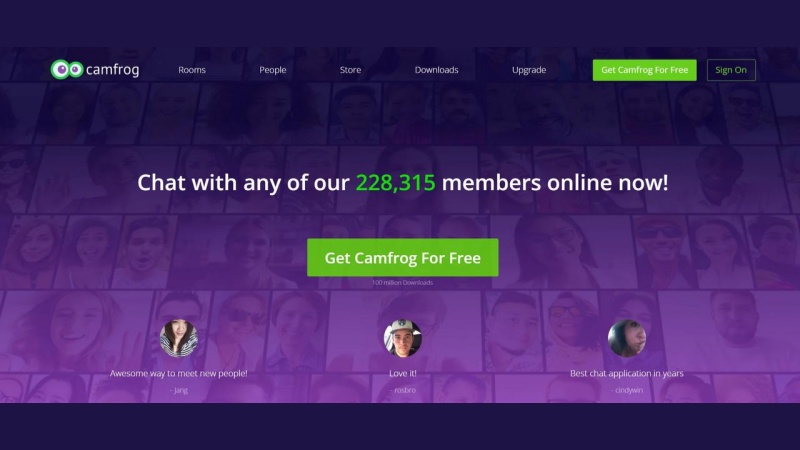
Camfrog is a versatile video chat application for Windows, Mac, iOS, and Android. It allows:
-
Video chat with friends worldwide.
-
One-on-one and group conversations.
-
Instant messaging and multimedia sharing.
-
Live directory to discover new people instantly.
Camfrog is available in two versions: Free and Pro. Pro users who pay for the service can see many videos, add text overlays to video calls and get better room management. So you don’t need to have a webcam available, though you must have one to appear in video chats.
Start your video chat
-
Registration & Setup
-
Download Camfrog: Available on the official site, App Store or Google Play.
-
Register Nickname: Click Register New Nickname and create a password.
-
Profile Setup: Make picture, bio, and profile private if desired.
-
Explore the Live Directory: Search for users to chat with instantly.
Pro Tip: Customize your profile with interests or hobbies—it makes connecting easier!
-
Adding Friends & Joining Rooms
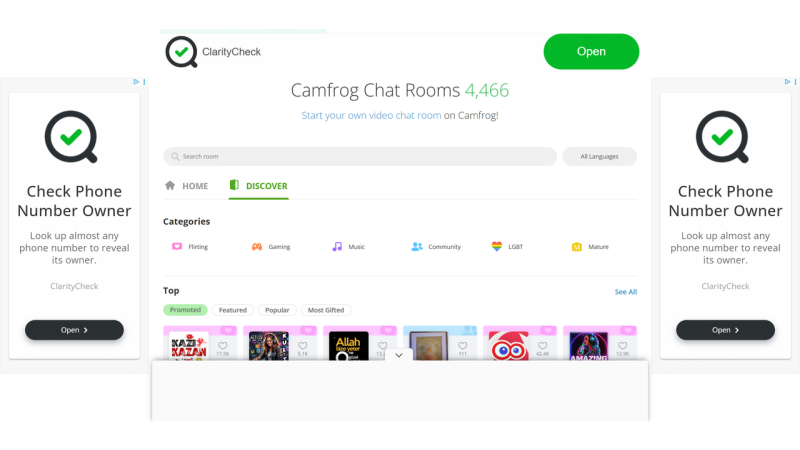
Camfrog makes socializing easy:
-
Sync Contacts: Search users by nickname or browse the live directory.
-
Send Friend Requests: Tap “Add” to start communication.
-
Join Video Chat Rooms: Public or private rooms for casual or topic-based interactions.
-
Private Ponds: Create a small invite-only space for up to 3 users (free) or 8 users (Pro).
Start small with a 1v1 video chat or jump into group interactions—the choice is yours!
-
Making Your First Video Call 🎥
-
Select a friend or a room from the live directory.
-
Send an instant message to request a video chat.
-
Click Call to begin.
During a call, you can:
-
Switch cameras (front/rear).
-
Mute your microphone or hide your video.
-
Apply filters or play interactive games (Pro feature).
Tip: Ensure a stable internet connection for smooth video and audio quality.
-
Audio & Messaging Features 🎤💬
-
Hands-Free or Push-to-Talk: Control how your audio is transmitted in 1-on-1 calls.
-
Room Audio Rotation: In group rooms, everyone gets a chance to speak.
-
Instant Messaging: Chat in rooms or privately, save conversations, and manage your status.
-
Managing Rooms & Ponds 🏠
-
Public Rooms: Open to multiple users for casual chatting.
-
Private Ponds: Invite-only rooms, ideal for personal conversations.
-
Only one room or pond can be active per user.
-
Ponds close automatically when the creator leaves.
Tips for a Better Camfrog Experience ✨

-
Make sure to have good lighting in the video.
-
Keep your background tidy.
-
Use headphones to limit feedback.
-
Discover filters, games and multimedia to share.
-
Updates Keep your app updated to access the newest features.
FAQs
-
What is Camfrog?
Join live video chat rooms or multi-person chats and instantly find anyone to chat with. You can even exchange photos and videos. Either you want to discuss with new people or chat with your friends, Camfrog Video Chat is the coolest way to have a conversation. An intuitive GUI makes it comprehensive for novices and advanced users. -
Does Camfrog still exist?
Yes, Camfrog is constantly updated and remains popular with millions of users worldwide. Most long times users use Camfrog daily for communication, social connections, and entertainment. -
Is a webcam necessary for using Camfrog?
No webcam is required to browse and watch other people as they broadcast themselves from their own webcams. Keep in mind though that if you do choose to talk using a webcam within the video chat, your webcam will be needed. And the platform is focusing on watch parties but does not require a video stream and has other functionality for full user engagement. -
How are Camfrog rooms run?
Camfrog rooms are either privately hosted or public, and you may use one of the many features available. Public rooms are open to all comers, while private ponds are invite-only spaces for more intimate calls. Users will have power to moderate interactions and create their specific rules for private ponds making a safe and enjoyable place. -
Can I use Camfrog on mobile devices?
Yes,you can download it for Android or iOS. The mobile application provides virtually all the features of the desktop version, including 1-on-1 video chat, group video calls, text chat and live room list view.
Conclusion
In conclusion, Camfrog is a strong tool with numerous options which can enhance your online experience. It goes far beyond just regular video chat, it’s an all-in-one world combining the features of a social network, live communication, multimedia broadcasting and secure private rooms. Moreover, with video chat, private ponds, group rooms and 1-on-1 video calls, you can tailor the offer to your social preferences.
So whether you’re looking to make new friends from around the world, or want to keep in touch with other Camfrog users, it has all that is needed for you. This active community, multi-platform support, and the ability to custom make your chats are much better conditions for meaningful exchanges.
Whatever your motivation, dive into the active rooms on Camfrog and see how video calling can take your friendships to the next level. It’s safe, easy and fast to meet someone on Camfrog.